
This topic is the install guide for the after-market gateway (part# G0097460) with the universal harness (part# A0006648426) utilizing the Generac H Panel.
Modbus Communication Settings and Notes
Settings should correspond to the values provided in this table.
|
Address: 100 |
|
Baud Rate: 9600 |
|
Mode: Modbus Slave |
If different settings are required, please contact Support.
Equipment Connection Details
Generac Gateway Side Terminations
|
Description
|
Harness Wire Color
|
Equipment Side Terminations
|
|---|---|---|---|
|
+ |
DC+ |
Red |
TB3-13 or TB3-218 |
|
- |
DC- |
Black |
TB3-0 |
|
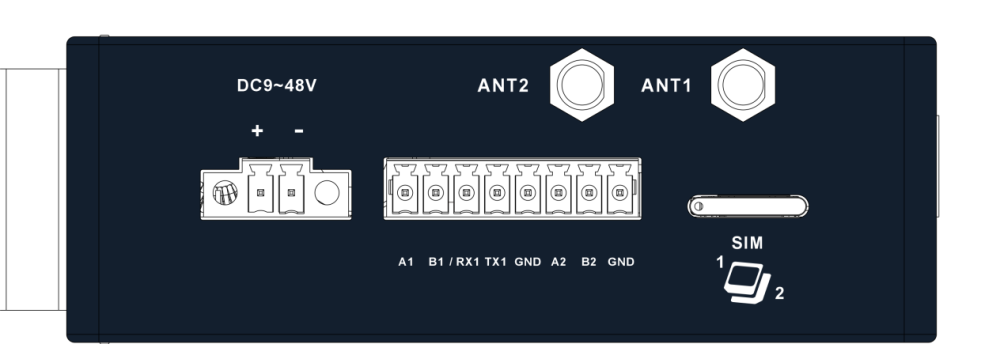
TX1 |
Data Transmit |
Orange / White |
*2-RXD |
|
RX1 |
Data Receive |
White / Orange |
*3-TXD |
|
GND |
Data GND |
Green / White |
*5-GND |
|
Harness Relay #1 |
COM |
Blue |
TB1-1 |
|
N/O |
White / Blue |
TB1-2 |
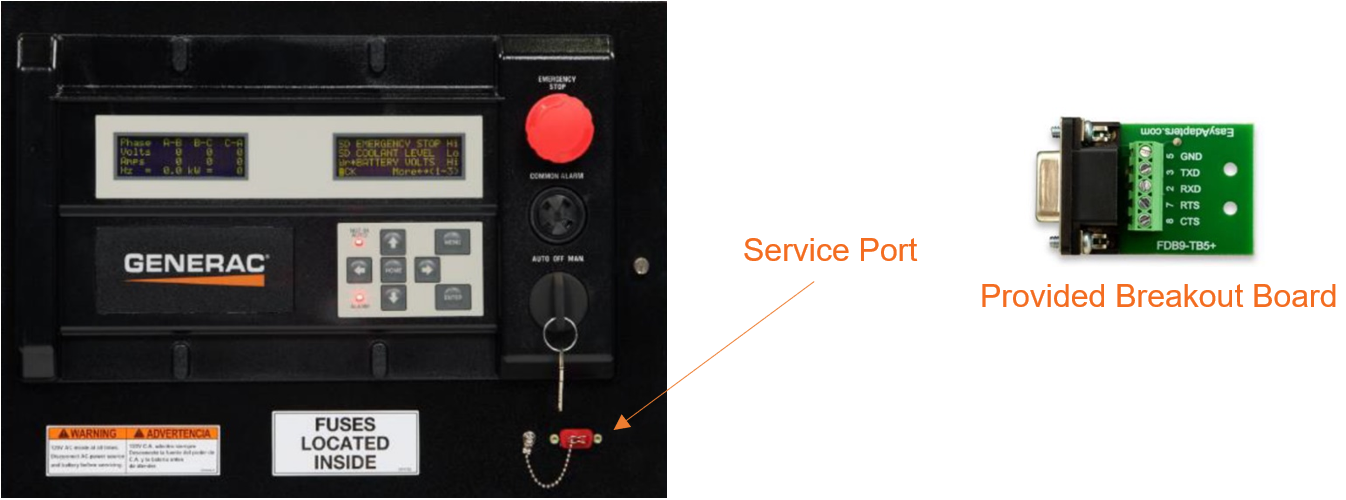
Terminate communication wires at breakout board provided in harness accessory kit. Use breakout board cover to protect connections and secure to service port.
Some H Panels may have an optional dial-up modem installed. Make sure to turn off the modem before connecting DB9 connection to the RS232 port outside of the H panel.
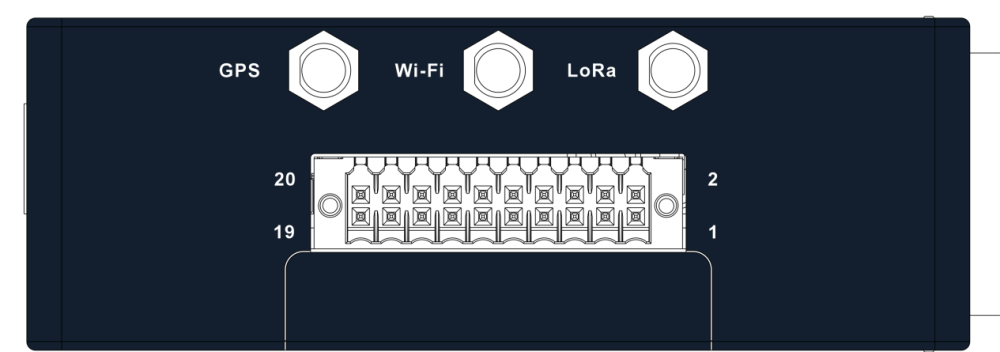
Gateway Connection Ports
Check out our knowledge base and support center for information on any technical questions.