
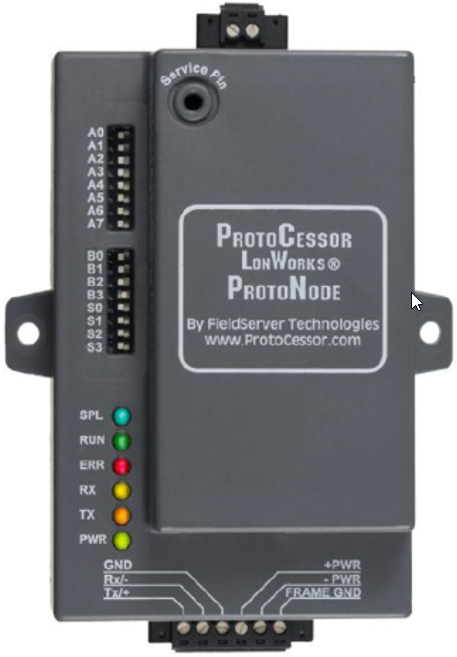
This topic is the install guide for the after-market gateway (part# G0097460) with the universal harness (part# A0006648426) when utilizing Cummins PCC 2100/3100/3200 PowerCommand® control systems with ProtoNode.
For Modbus communication and Generac Link integration a ProtoNode will need to be installed.
Generac Link-Site Deployment Controller Selection:
Cummins Protonode-RS485
Modbus Communication Settings and Notes
Settings should match values provided in this table.
|
Address: 1 |
Parity: None |
|
Baud Rate: 19200 |
Stop: 1 |
|
Template: 1 |
|
If different settings are required, please contact Support.
Dip Switch Settings
(On = To Right)
|
Setting |
Dip Switch |
Position |
|---|---|---|
|
Modbus Address |
A0 |
On |
|
A1 |
Off |
|
|
A2 |
Off |
|
|
A3 |
Off |
|
|
A4 |
Off |
|
|
A5 |
Off |
|
|
A6 |
Off |
|
|
Baud Rate |
A7 |
On |
|
B0 |
Off |
|
|
B1 |
Off |
|
|
Comm Settings |
B2 |
Off |
|
B3 |
Off |
|
|
Template |
S0 |
Off |
|
S1 |
Off |
DIP switch changes should be made will Protonode is powered down.
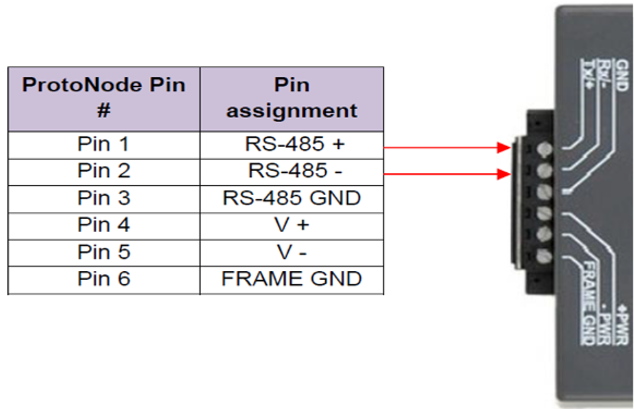
Generac Gateway Side Terminations
|
Description
|
Harness Wire Color
|
Equipment Side Terminations
|
|---|---|---|---|
|
+ |
DC+ |
Red |
Pin 4 |
|
- |
DC- |
Black |
Pin 5 |
|
A2 |
Data + |
Blue / White |
Pin 1 |
|
B2 |
Data - |
White / Blue |
Pin 2 |
|
GND |
Data GND |
White / Green |
Pin 3 |
|
Harness Relay #1 |
COM |
Blue |
*2-Wire Start (see table below) |
|
N/O |
White / Blue |
2 Wire Terminations by Controller
Controller
|
Blue
|
White / Blue
|
|---|---|---|
|
PCC 2100 |
TB1-1 |
TB1-20, 21, or 22 |
|
PCC 3100 |
TB1-5 |
TB1-3 or TB1-4 |
|
PCC 3200 |
TB8-4 |
TB8-5 |
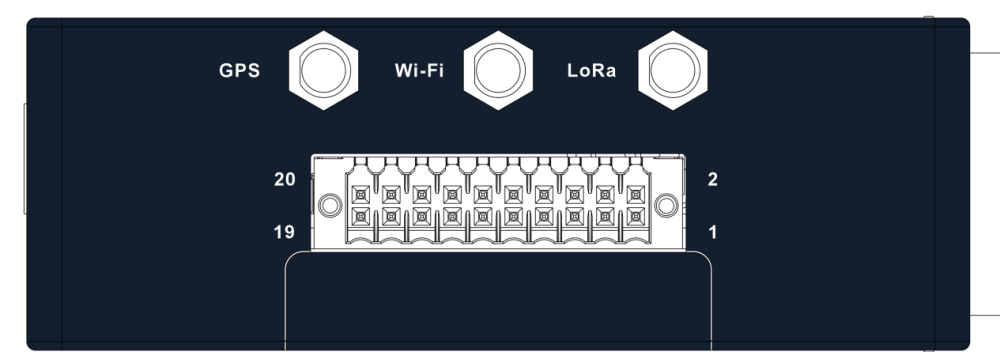
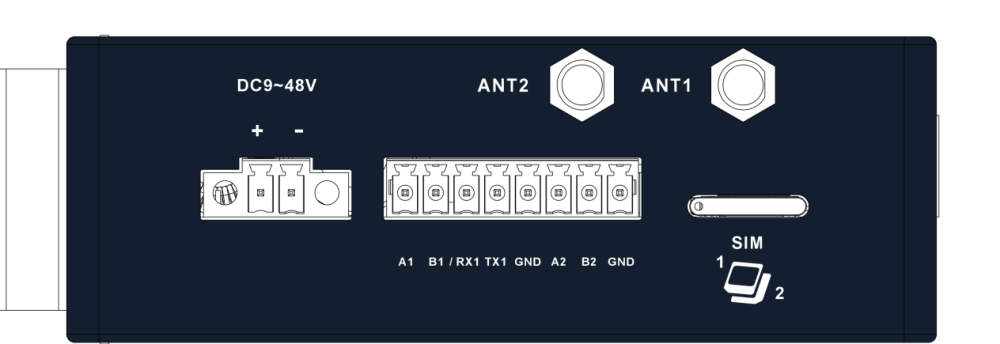
Gateway Connection Ports
Check out our knowledge base and support center for information on any technical questions.