
This topic is the install guide for the after-market gateway (part# G0097460) with the universal harness (part# A0006648426) when utilizing ComAp InteliGen controllers.
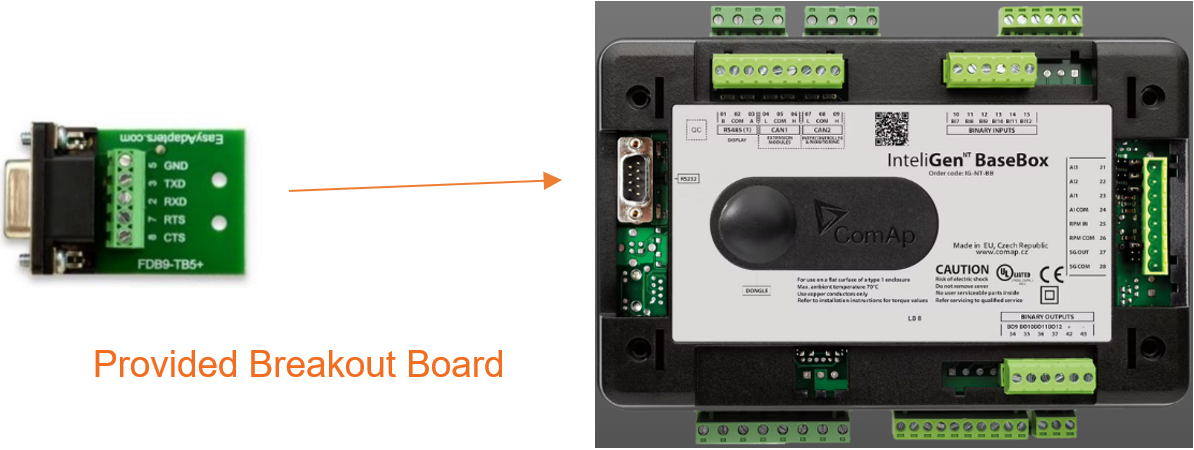
Generac Link-Site Deployment Controller Selection:
ComAp Inteligen NT-RS232-EC312
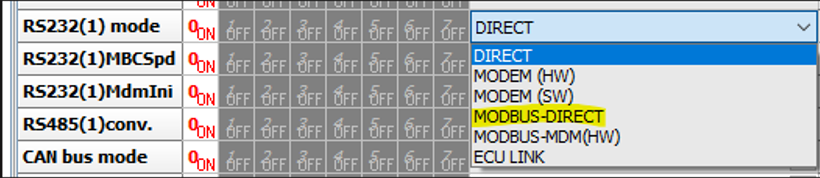
Modbus Communication Settings and Notes
Settings should match values provided in this table.
|
RS232(1) mode: MODBUS-DRECT |
|
RS232(1) MBCSpd: 9600 |
|
RS485(1)conv: DISABLE |
Modbus port settings need to be configured via ComAp software (GenConfig). All Access Groups must be set to 0 as captured here.
To ensure monitoring can be configured for all available data a Modbus config file can be exported via ComAp software under File > Generact Cfg Image > Generac Cfg Image (Modbus Registers-All).
If different settings are required, please contact Support.
Equipment Connection Details
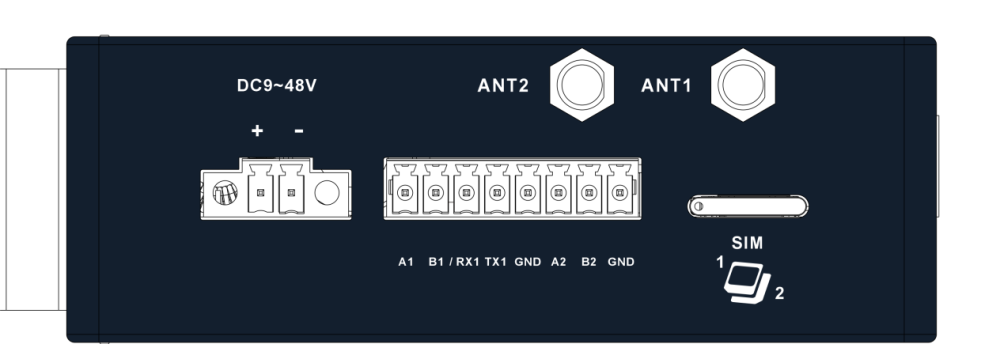
Generac Gateway Side Terminations
|
Description
|
Harness Wire Color
|
Equipment Side Terminations
|
|---|---|---|---|
|
+ |
DC+ |
Red |
B+ |
|
- |
DC- |
Black |
B- |
|
TX1 |
Data Transmit |
Orange / White |
2-RXD |
|
RX1 |
Data Receive |
White / Orange |
3-TXD |
|
GND |
Data GND |
Green / White |
5-GND |
|
Harness Relay #1 |
COM |
Blue |
B- |
|
N/O |
White / Blue |
Remote Start Input |
Terminate communication wires at breakout board provided in harness accessory kit. Use breakout board cover to protect connections and secure to port.
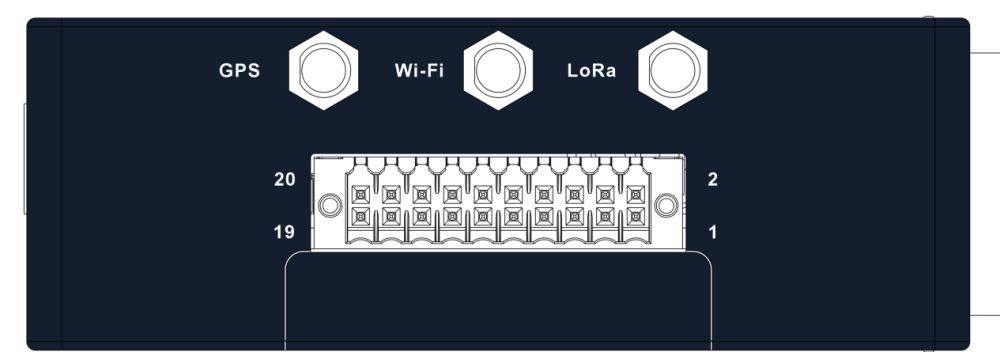
Gateway Connection Ports
Check out our knowledge base and support center for information on any technical questions.