
This topic is the install guide for the after-market gateway (part# A0009887841) with GL899-PARTIAL POWER HARNESS (part# A0009887769), GL899-PARTIAL COMM HARNESS (part# A0009887770) when utilizing the DSE G8600 Controller.
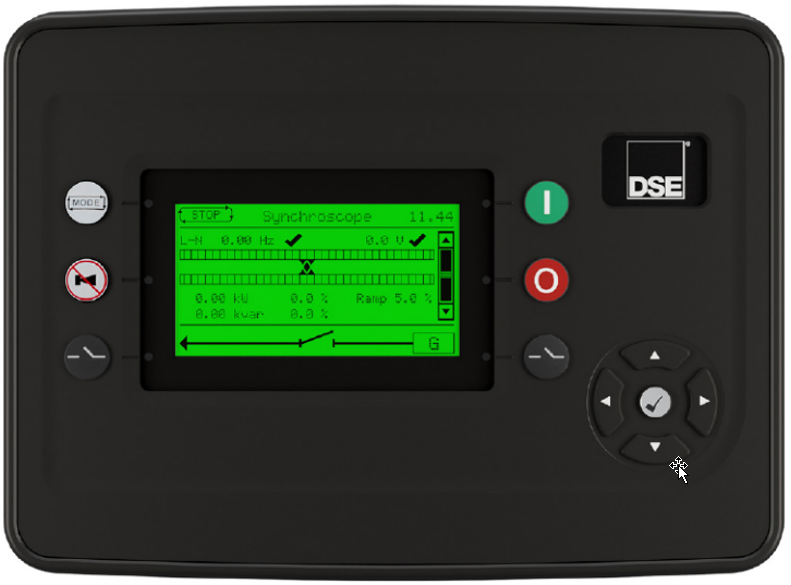
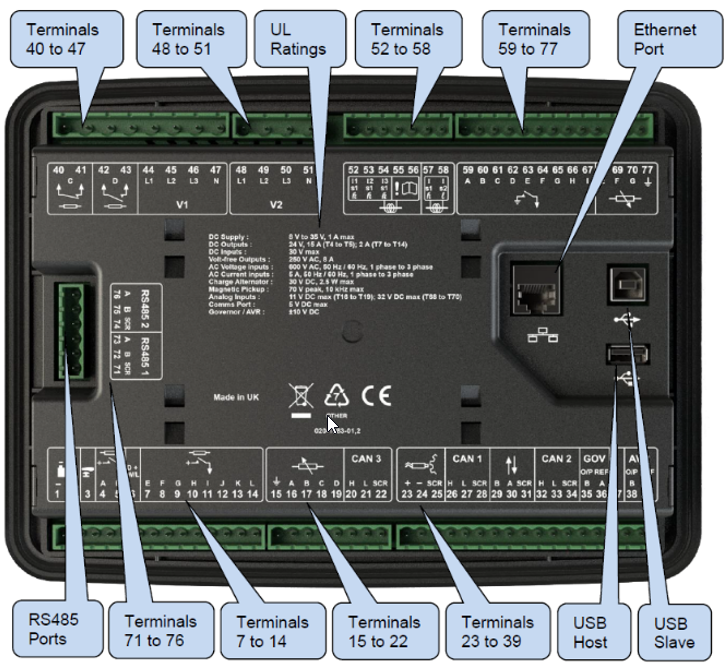
Generac Link-Site Deployment Controller Selection:
DSE G8601-RS485
Modbus Communication Settings and Notes
To program the RS485 port 2:
-
Connect to controller via USB or ethernet connection and the DSE Configuration Suite software.
-
From left side pane in software, navigate to G8600 Configuration> Communications>RS485 Ports.
-
Update Port 2 settings to the values shown in this table.
|
Server ID: 1 |
|
Baud Rate: 9600 |
|
Port Usage: Modbus server |
If different settings are required, please contact Support.
Equipment Connection Details
Generac Gateway Side Terminations
|
Description
|
Harness Wire Color
|
Equipment Side Terminations
|
|---|---|---|---|
|
2 |
DC+ |
A0009887769 Red |
2 |
|
1 |
DC- |
A0009887769 Black |
1 |
|
8 |
Data + |
A0009887770 Orange / White |
76—RS485 2 A+ |
|
9 |
Data - |
A0009887770 White / Orange |
75—RS485 2 B- |
|
10 |
Data GND |
A0009887770 Blue/ White |
75—RS485 2 SCR |
Gateway Connection Ports
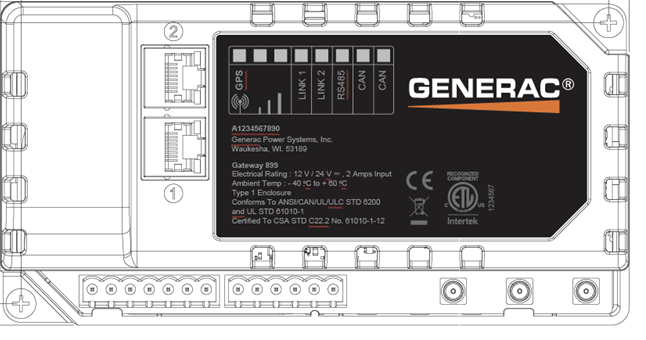
|
Pin |
Connector |
Description |
|
1 |
A |
Plant Supply –ve |
|
2 |
Plant Supply +ve |
|
|
3 |
Digital Output A |
|
|
4 |
Digital Output B |
|
|
5 |
Flexible Sender Common |
|
|
6 |
Flexible Sender A |
|
|
7 |
Flexible Sender B |
|
|
1 |
B
|
RS485 A |
|
2 |
RS485 B |
|
|
3 |
RS485 Screen |
|
|
4 |
CAN H |
|
|
5 |
CAN L |
|
|
6 |
CAN Screen |
Check out our knowledge base and support center for information on any technical questions.