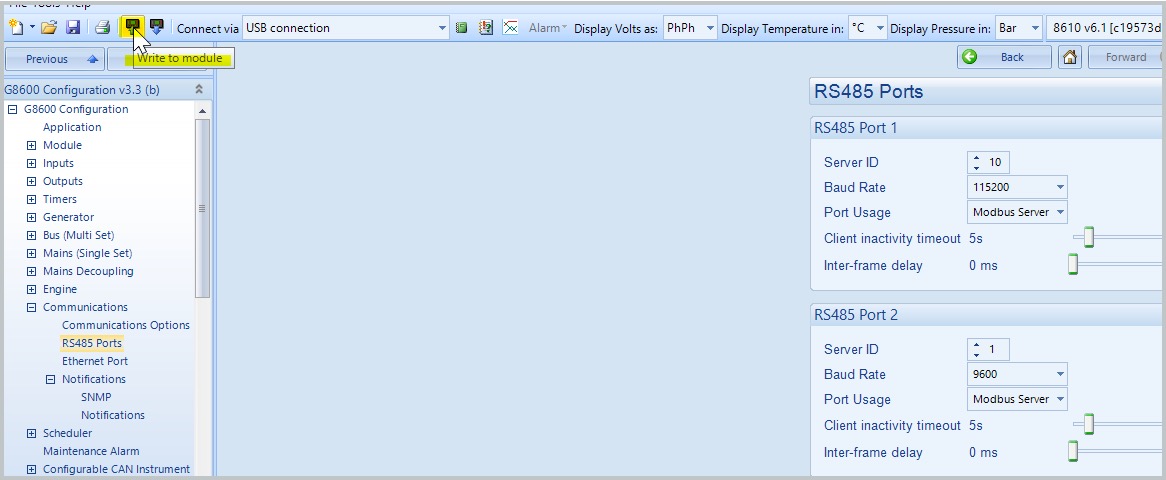
Configuration must be done using a connection to a DSE controller with the Deep Sea Electronics Configuration Suite software. The connection utilizes either USB or Ethernet. Settings should be updated after the initial firmware/configuration update.
-
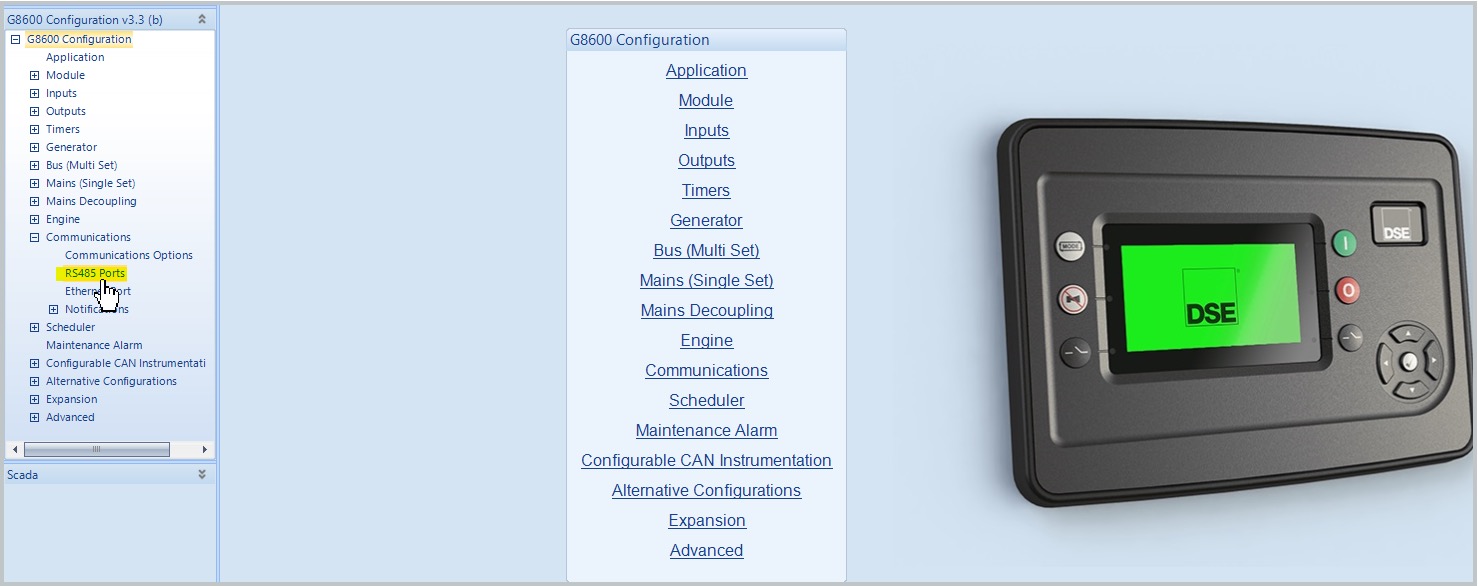
Use the left navigation pane to drill down to G8600 Configuration > Communications > RS485 Ports.
-
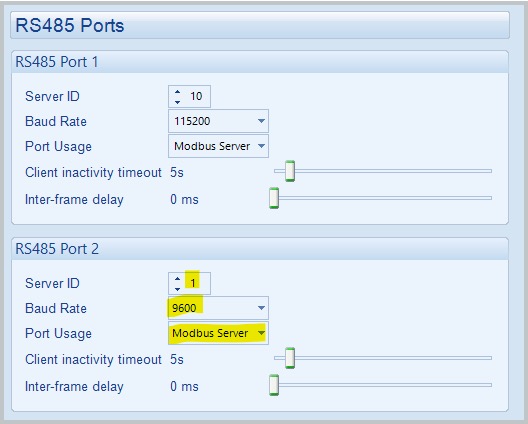
Update the RS485 Port 2 Settings to:
-
Server ID: 1
-
Baud Rate: 9600
-
Port Usage: Modbus Server
-
Click icon for Write to Module to apply changes.