
Generac Power Zone Pro (Sync) via RS485 (V3)
This topic is the install guide for the after-market gateway (part# A0009887841) with GL899-PARTIAL POWER HARNESS (part# A0009887769), GL899-PARTIAL COMM HARNESS (part# A0009887770)when utilizing Generac Power Zone Pro® or Power Zone Pro Sync using the RS485 port.
Generac Power Zone Pro
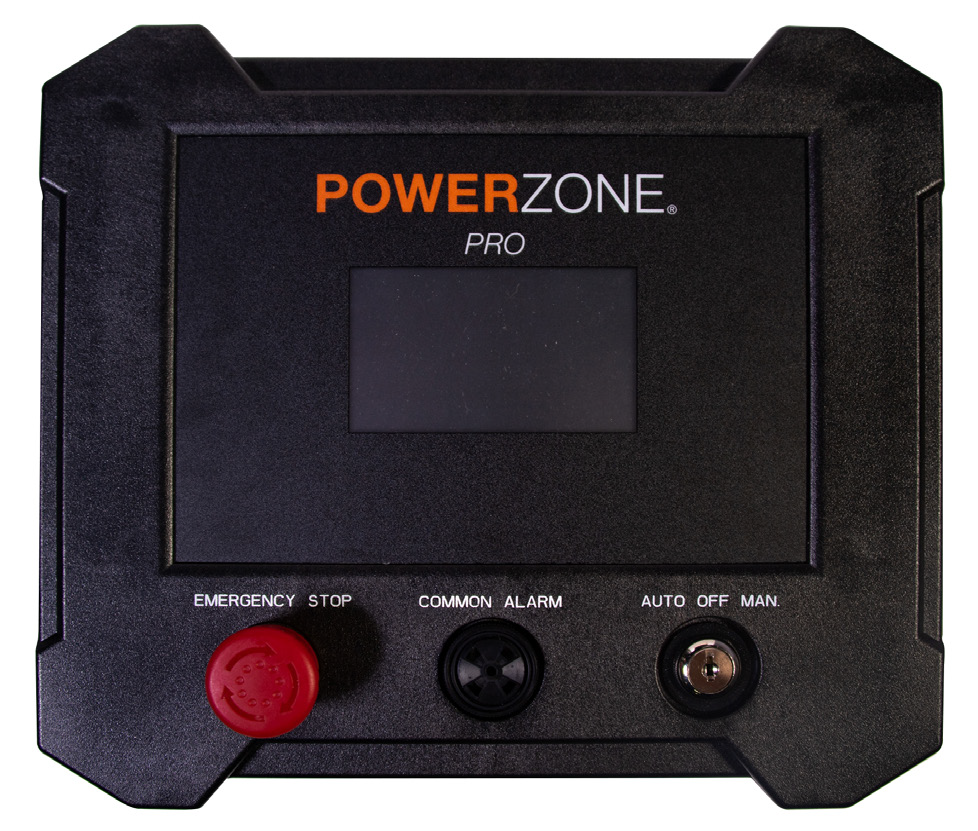
Power Zone Pro Panel Display
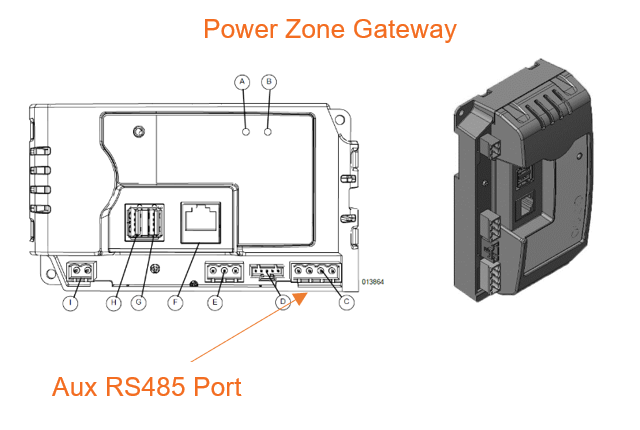
Connect to Power Zone Gateway Ethernet port for programming and use Aux RS485 port for Modbus.

Generac Link-Site Deployment Controller Selection:
Generac Power Zone Pro-RS485
Modbus Communication Settings and Notes
Modbus connection to be made at the Aux RS485 port on the Power Zone Gateway (see image in previous section). Terminal block included in harness accessory kit if needed. To make changes to serial port, key switch must be in Off position.
To confirm the port settings in this table, follow the steps in this section.
Serial Port: RS485 Built In | Parity: None |
Unit ID: 1 | Stop Bits: 1 |
Baud rate: 9600 | Mode: Modbus Gateway |
For firmware version 1.21.9 and prior: Navigate to setup > Communications > Modbus Pass Thru. Modbus RTU Enable toggle must be selected and settings should match values provided in the table in this section.
For firmware version 1.22.1 or newer: Navigate to setup > Communications > External Interfaces > Configure > RS485 Built In. Confirm that settings match values provided in the table in this section.
If different settings are required, please contact Support.

It is recommended that firmware is updated to 1.24.5 or higher. An issue was identified with the Modbus RS485 port communications in previous versions.
Equipment Connection Details
Generac Gateway Side Terminations | Description | Harness Wire Color | Equipment Side Terminations |
|---|---|---|---|
2 | DC+ | A0009887769 Red | B+ |
1 | DC- | A0009887769 Black | B- |
8 | Data + | A0009887770 Orange / White | A-12 |
9 | Data - | A0009887770 White / Orange | B-14 |
10 | Data GND | A0009887770 Blue/ White | SCR-11 |
Generac Power Zone Pro Sync
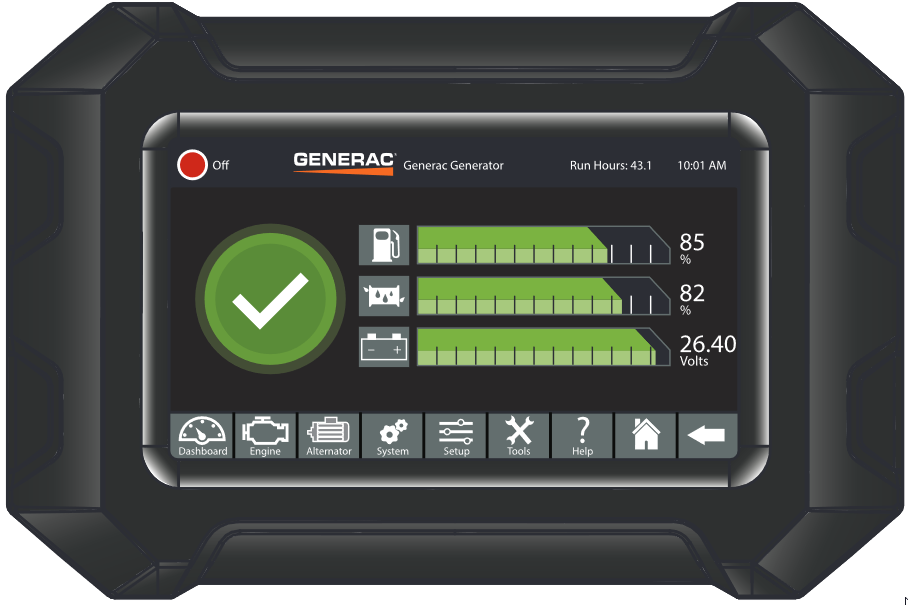
Generac Power Zone Pro Sync Display Panel
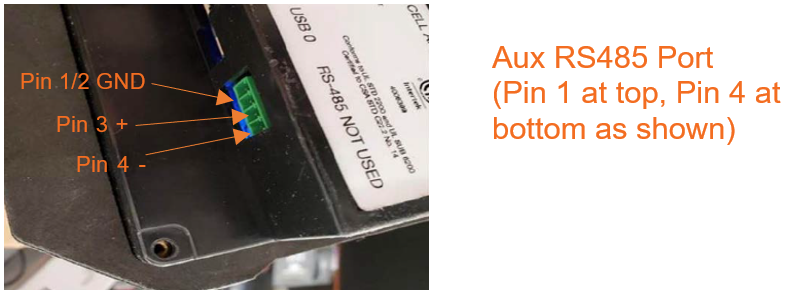
Modbus connection to be made at auxiliary port labeled as RS485 NOT USED on back of monitor. Terminal block included in harness kit.
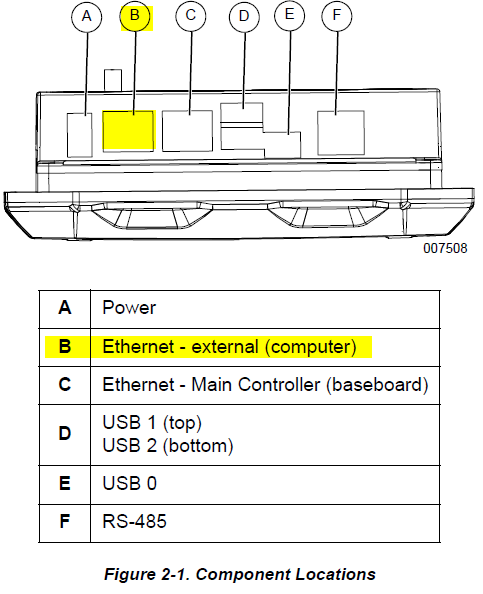
Display COMPUTER port can be used for programming.
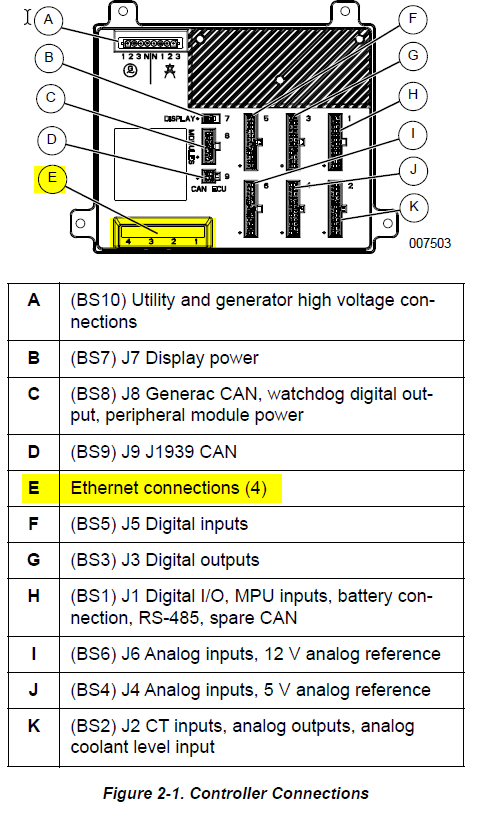
Base controller Ethernet ports can be used for programming.
Modbus Communication Settings and Notes:
Modbus connections to be terminated at RS485 port on display. See section above for Power Zone Pro Sync expected settings and programming instructions.
Equipment Connection Details
Generac Gateway Side Terminations | Description | Harness Wire Color | Equipment Side Terminations |
|---|---|---|---|
2 | DC+ | A0009887769 Red | B+ |
1 | DC- | A0009887769 Black | B- |
8 | Data + | A0009887770 Orange / White | 3—RS485+ |
9 | Data - | A0009887770 White / Orange | 4—RS485- |
10 | Data GND | A0009887770 Blue/ White | 2—GND |
Gateway Connection Ports
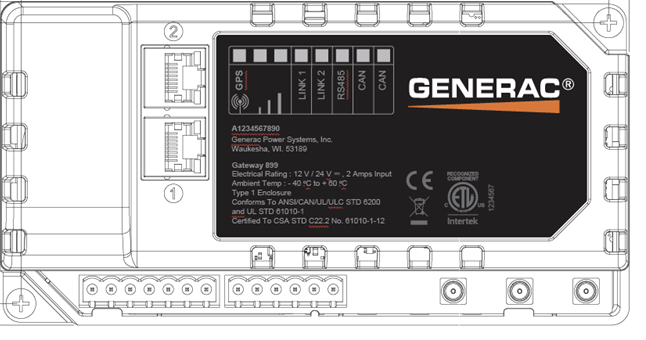
Pin | Connector | Description |
1 | A | Plant Supply –ve |
2 | Plant Supply +ve | |
3 | Digital Output A | |
4 | Digital Output B | |
5 | Flexible Sender Common | |
6 | Flexible Sender A | |
7 | Flexible Sender B | |
1 | B
| RS485 A |
2 | RS485 B | |
3 | RS485 Screen | |
4 | CAN H | |
5 | CAN L | |
6 | CAN Screen |
Check out our knowledge base and support center for information on any technical questions.