
DSE G86XX (V3)
This topic is the install guide for the after-market gateway (part# A0009887841) with GL899-PARTIAL POWER HARNESS (part# A0009887769), GL899-PARTIAL COMM HARNESS (part# A0009887770) when utilizing the DSE G8600 Controller.
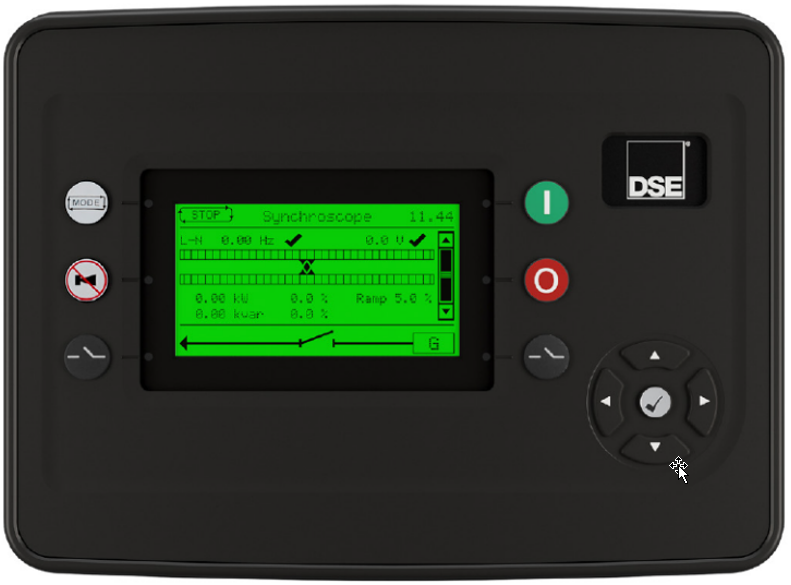
DSE Control Panel Display
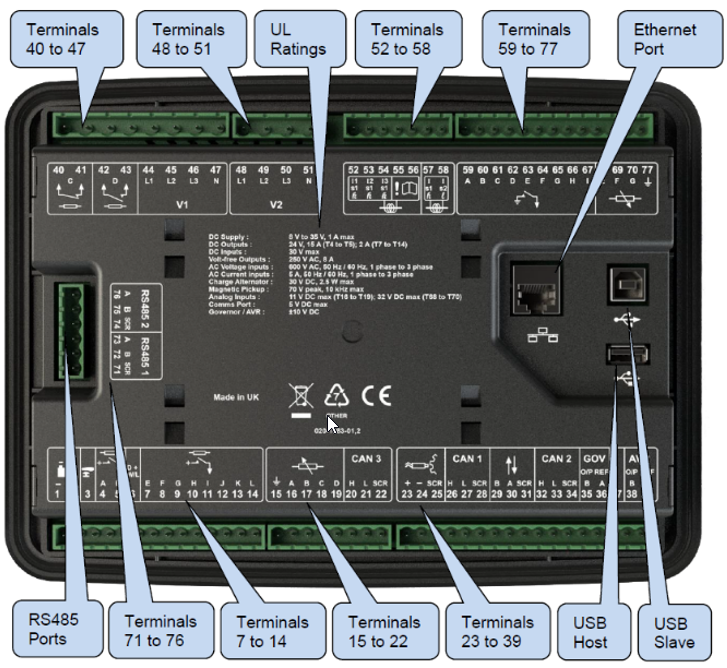
Terminals and Ports

Generac Link-Site Deployment Controller Selection:
DSE G8601-RS485
Modbus Communication Settings and Notes
To program the RS485 port 2:
Connect to controller via USB or ethernet connection and the DSE Configuration Suite software.
From left side pane in software, navigate to G8600 Configuration> Communications>RS485 Ports.
Update Port 2 settings to the values shown in this table.
Server ID: 1 |
Baud Rate: 9600 |
Port Usage: Modbus server |

If different settings are required, please contact Support.
Equipment Connection Details
Generac Gateway Side Terminations | Description | Harness Wire Color | Equipment Side Terminations |
|---|---|---|---|
2 | DC+ | A0009887769 Red | 2 |
1 | DC- | A0009887769 Black | 1 |
8 | Data + | A0009887770 Orange / White | 76—RS485 2 A+ |
9 | Data - | A0009887770 White / Orange | 75—RS485 2 B- |
10 | Data GND | A0009887770 Blue/ White | 75—RS485 2 SCR |
Gateway Connection Ports
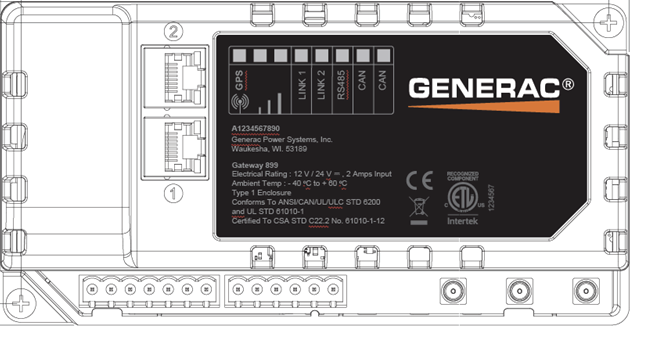
Pin | Connector | Description |
1 | A | Plant Supply –ve |
2 | Plant Supply +ve | |
3 | Digital Output A | |
4 | Digital Output B | |
5 | Flexible Sender Common | |
6 | Flexible Sender A | |
7 | Flexible Sender B | |
1 | B
| RS485 A |
2 | RS485 B | |
3 | RS485 Screen | |
4 | CAN H | |
5 | CAN L | |
6 | CAN Screen |
Check out our knowledge base and support center for information on any technical questions.