
Cummins PCC 1.X (1302) (V3)
This topic is the install guide for the after-market gateway (part# A0009887841) with the GL899-PARTIAL COMM HARNESS (part# A0009887770) and the GL899-PARTIAL RETROFIT HARNESS (part# A0009887772) when utilizing Cummins PCC 1.X (1302) PowerCommand® control systems.
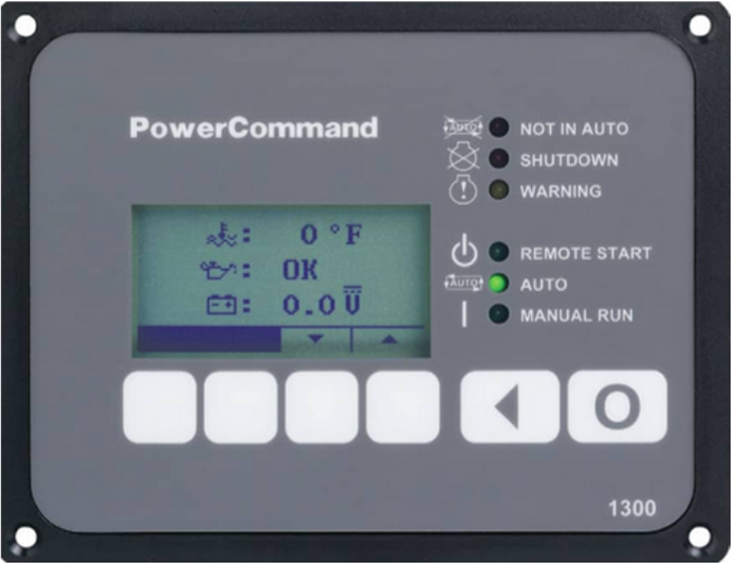
PowerCommand Control System Display
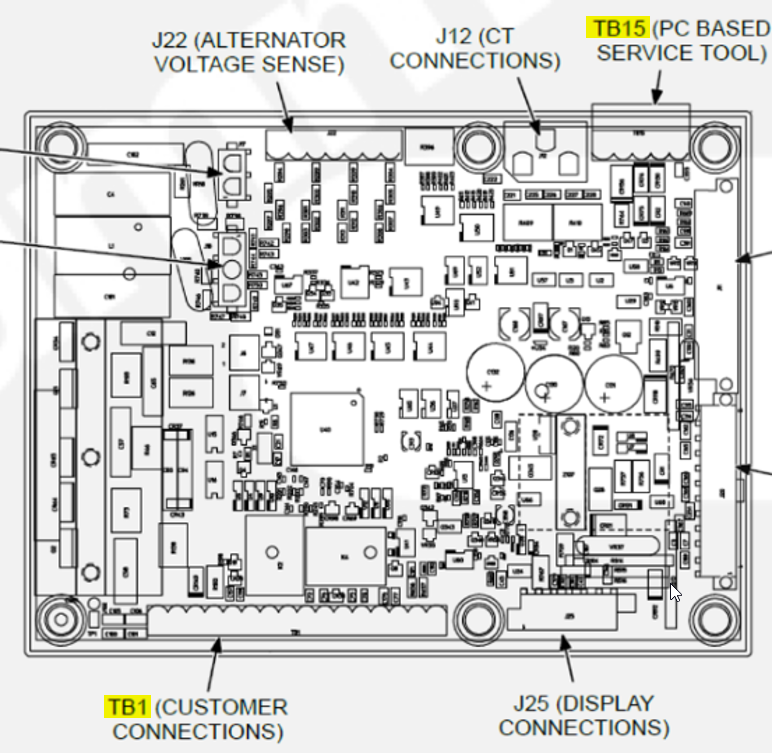
Schematic of Connections

Generac Link-Site Deployment Controller Selection:
Cummins PCC 1.X-RS485
Modbus Communication Settings and Notes
Settings should match values provided in this table.
Enabled: On |
Address: 1 |
Baud Rate: 19200 |
Parity: None |

If different settings are required, please contact Support.
Change Modbus settings by:
Navigating to the Setup Menu using the arrow keys on any of the operator menus.
Enter the setup menu password: ‘574’.
Select Genset Service > Modbus.
Enter the values or modify them in the Modbus Submenus as provided in this section.
Jumper wire will need to be connected between TB15-1 and TB15-5 to disable sleep mode and keep RS485 port active at all times.
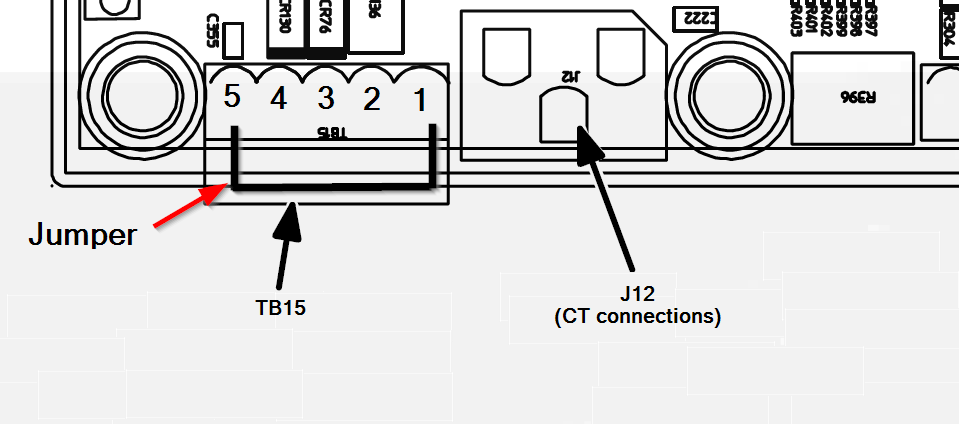
TB15 as typically seen on installed control boards. Jumper should connect TB15-1 and TB15-5.
Generac Gateway Side Terminations | Description | Harness Wire Color | Equipment Side Terminations |
|---|---|---|---|
2 | DC+ | A0009887772 Red | TB1-5 |
1 | DC- | A0009887772 Black | Ground Terminal |
8 | Data + | A0009887770 Orange / White | TB15-3 |
9 | Data - | A0009887770 White / Orange | TB15-4 |
10 | Data GND | A0009887770 Blue/ White | TB15-1 |
Harness Relay #1 | COM | A0009887772 Blue | TB1-10 |
N/O | A0009887772 White / Blue | TB1-11 |
Gateway Connection Ports
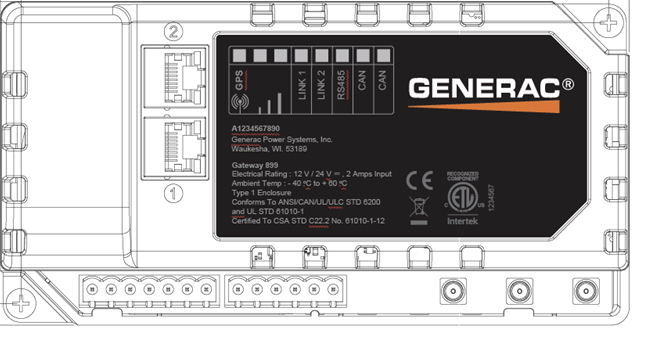
Pin | Connector | Description |
1 | A | Plant Supply –ve |
2 | Plant Supply +ve | |
3 | Digital Output A | |
4 | Digital Output B | |
5 | Flexible Sender Common | |
6 | Flexible Sender A | |
7 | Flexible Sender B | |
1 | B
| RS485 A |
2 | RS485 B | |
3 | RS485 Screen | |
4 | CAN H | |
5 | CAN L | |
6 | CAN Screen |
Check out our knowledge base and support center for information on any technical questions.