
ComAp InteliGen (V3)
This topic is the install guide for the after-market gateway (part# A0009887841) with the universal harness (part# A0009887769, A0009887770, A0009887771) when utilizing ComAp InteliGen controllers.
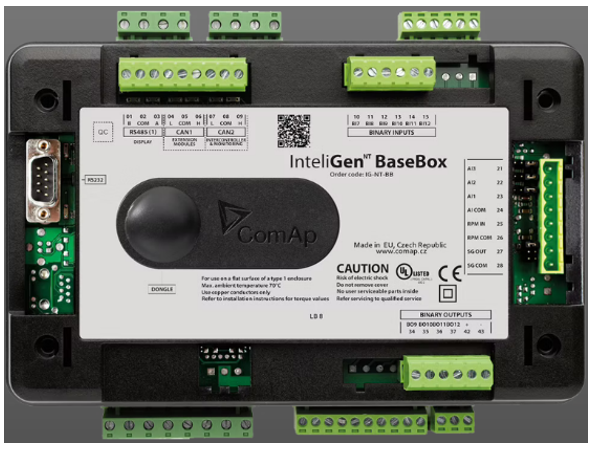
InterliGen NTC BaseBoX controller
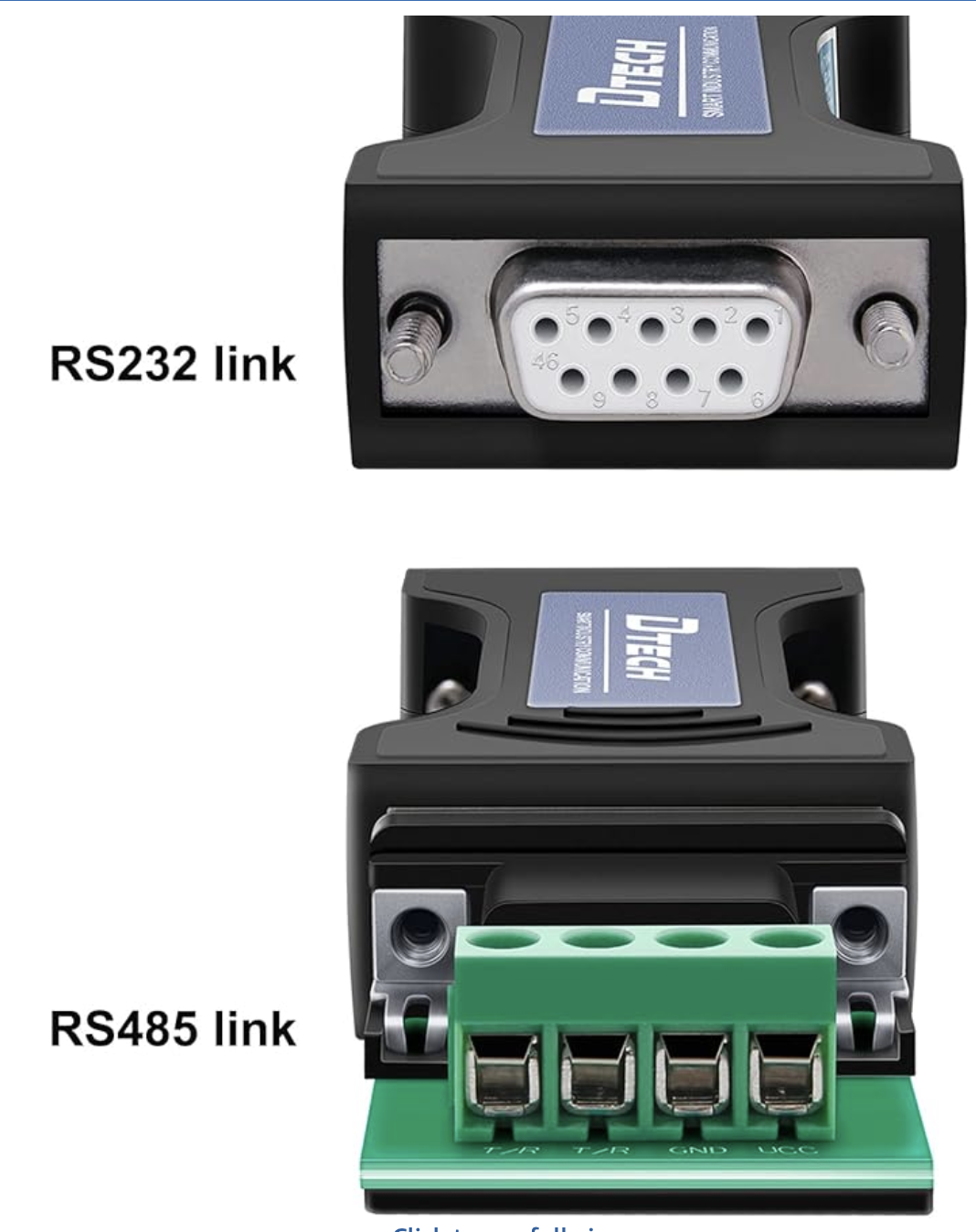
The GL899 does not have an RS232 port, and requires a RS232 to RS485 converter (DTech DT9000 included in A0009887771 accessories kit). Connect RS232 side of converter to InteliGen RS232 port.

Generac Link-Site Deployment Controller Selection:
ComAp Intelligen NT-RS485
Modbus Communication Settings and Notes
Settings should match values provided in this table.
RS232(1) mode: MODBUS-DRECT |
RS232(1) MBCSpd: 9600 |
RS485(1)conv: DISABLE |
Modbus port settings need to be configured via ComAp software (GenConfig). All Access Groups must be set to 0 as captured here.
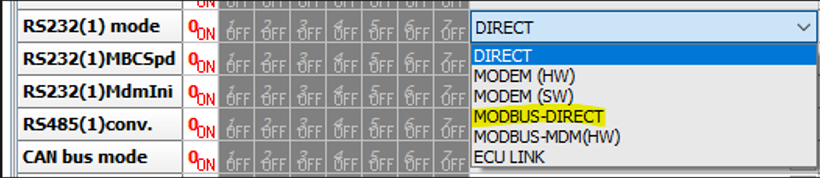
To ensure monitoring can be configured for all available data a Modbus config file can be exported via ComAp software under File > Generact Cfg Image > Generac Cfg Image (Modbus Registers-All).

If different settings are required, please contact Support.
Equipment Connection Details
Generac Gateway Side Terminations | Description | Harness Wire Color | Equipment Side Terminations | DTECH |
|---|---|---|---|---|
2 | DC+ | A0009887769 Red | B+ | |
1 | DC- | A0009887769 Black | B- | |
8 | Data + | A0009887770 Orange / White | T/R+ | |
9 | Data - | A0009887770 White / Orange | T/R- | |
10 | Data GND | A0009887770 Blue/ White | GND |
Gateway Connection Ports
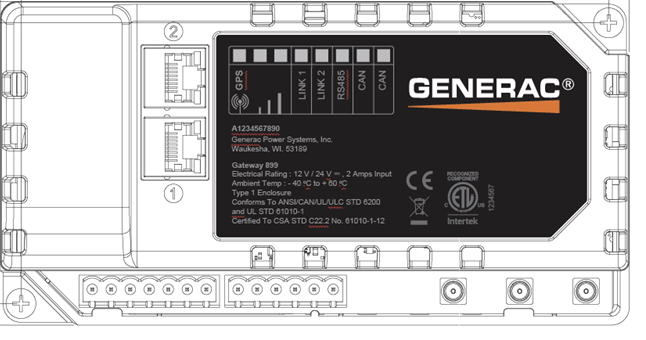
Pin | Connector | Description |
1 | A | Plant Supply –ve |
2 | Plant Supply +ve | |
3 | Digital Output A | |
4 | Digital Output B | |
5 | Flexible Sender Common | |
6 | Flexible Sender A | |
7 | Flexible Sender B | |
1 | B
| RS485 A |
2 | RS485 B | |
3 | RS485 Screen | |
4 | CAN H | |
5 | CAN L | |
6 | CAN Screen |
Check out our knowledge base and support center for information on any technical questions.