
Basler DGC-2020 via Hardwired Connection (V3)
This topic is the install guide for the aftermarket gateway (part# A0009887841) with A0009887772 (GL899-PARTIAL RETROFIT HARNESS) when utilizing the Basler DGC-2020 Digital Genset Controller with a hard-wired connection.
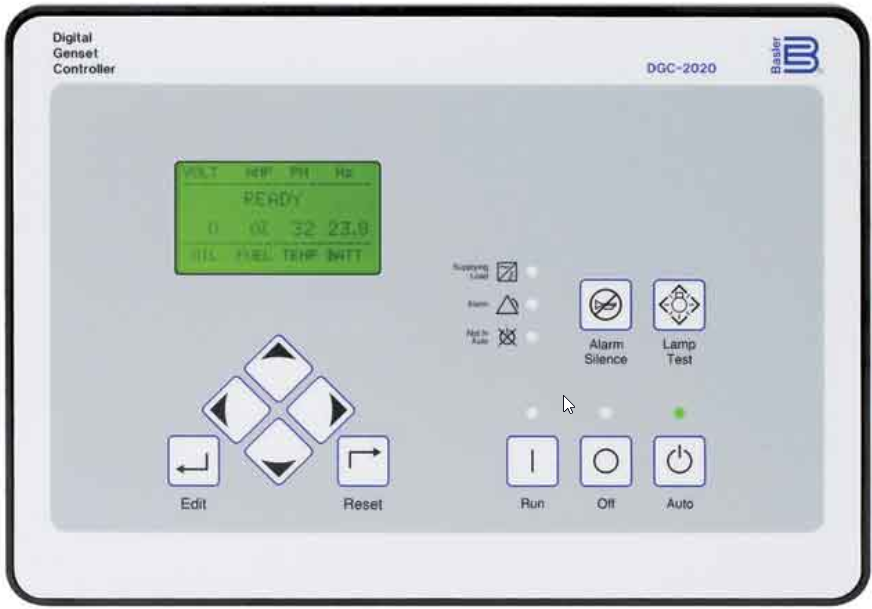
DGC-2020 Digital Genset Controller
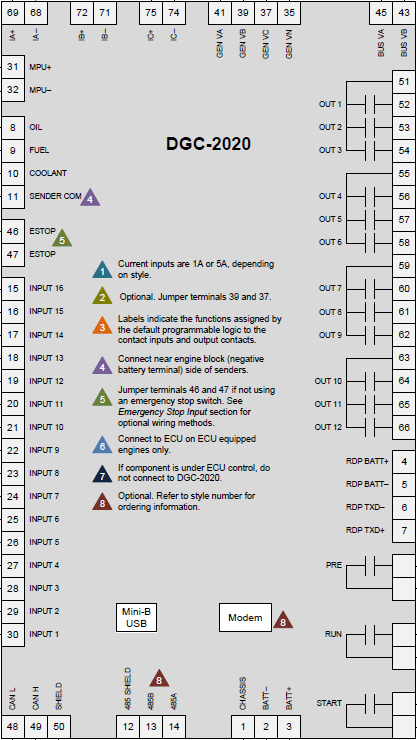
Input/Output Terminals for Controller

Generac Link-Site Deployment Controller Selection:
Hardwired-DSE899
Equipment Connection Details
Generac Gateway Side Terminations | Description | Harness Wire Color | Equipment Side Terminations |
|---|---|---|---|
2 | DC+ | A0009887772 Red | Terminal 3 |
1 | DC- | A0009887772 Black | Terminal 2 |
6 | Engine Running | A0009887772 Purple | RUN Terminal |
7 | Not in Auto | A0009887772 Green | Terminal 53 (Jump DC+ to Terminal 51) |
Harness Relay #1 | COM | A0009887772 Blue | 2-Wire Start Input |
N/O | A0009887772 White / Blue |
Alarm terminations assume factory default configurations for OUT1 = Not In Auto, OUT2 = Global Alarm, and OUT3 = Global Pre-Alarm.
Note that when using A0009887772 harness, terminal 5 on Generac Gateway is connected to battery negative. Therefore the common terminal on equipment controller Engine Running and Not in Auto signals should be connected to battery positive and the signals should be connected to the terminals mentioned in above table. In other words, this means outputs on equipment controller must source voltage to Generac Gateway inputs.
If the equipment controller outputs are sinking voltage, a 12/ 24 vdc (depending on battery voltage) relay needs to be connected between the controller output (for example, engine running) and common. The relay N/O contact would connect to terminal 6 on Generac Gateway and relay COM connects to battery positive post
Gateway Connection Ports
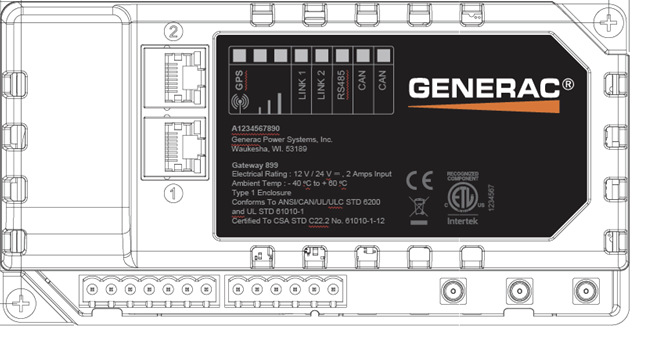
Pin | Connector | Description |
1 | A | Plant Supply –ve |
2 | Plant Supply +ve | |
3 | Digital Output A | |
4 | Digital Output B | |
5 | Flexible Sender Common | |
6 | Flexible Sender A | |
7 | Flexible Sender B | |
1 | B
| RS485 A |
2 | RS485 B | |
3 | RS485 Screen | |
4 | CAN H | |
5 | CAN L | |
6 | CAN Screen |
Check out our knowledge base and support center for information on any technical questions.